Gong
Last updated: September 16, 2025
To integrate your Gong account with Zams, you’ll need to provide three fields: API Base URL, API Access Key, and API Secret Key. Follow the steps below:
1. Get Your API Base URL
Log in to your Gong account.
Your API Base URL will be in this format:
https://[region-id].api.gong.ioExample:
https://us-3619.api.gong.io
[Source: Gong]
2. Generate API Access Key & Secret Key
In Gong, an Admin should go to:
Company Settings → Ecosystem → APIClick Create API Key.
Copy both values generated:
Access Key
Secret Key
[Source: Gong]
3. Enter Details in Zams
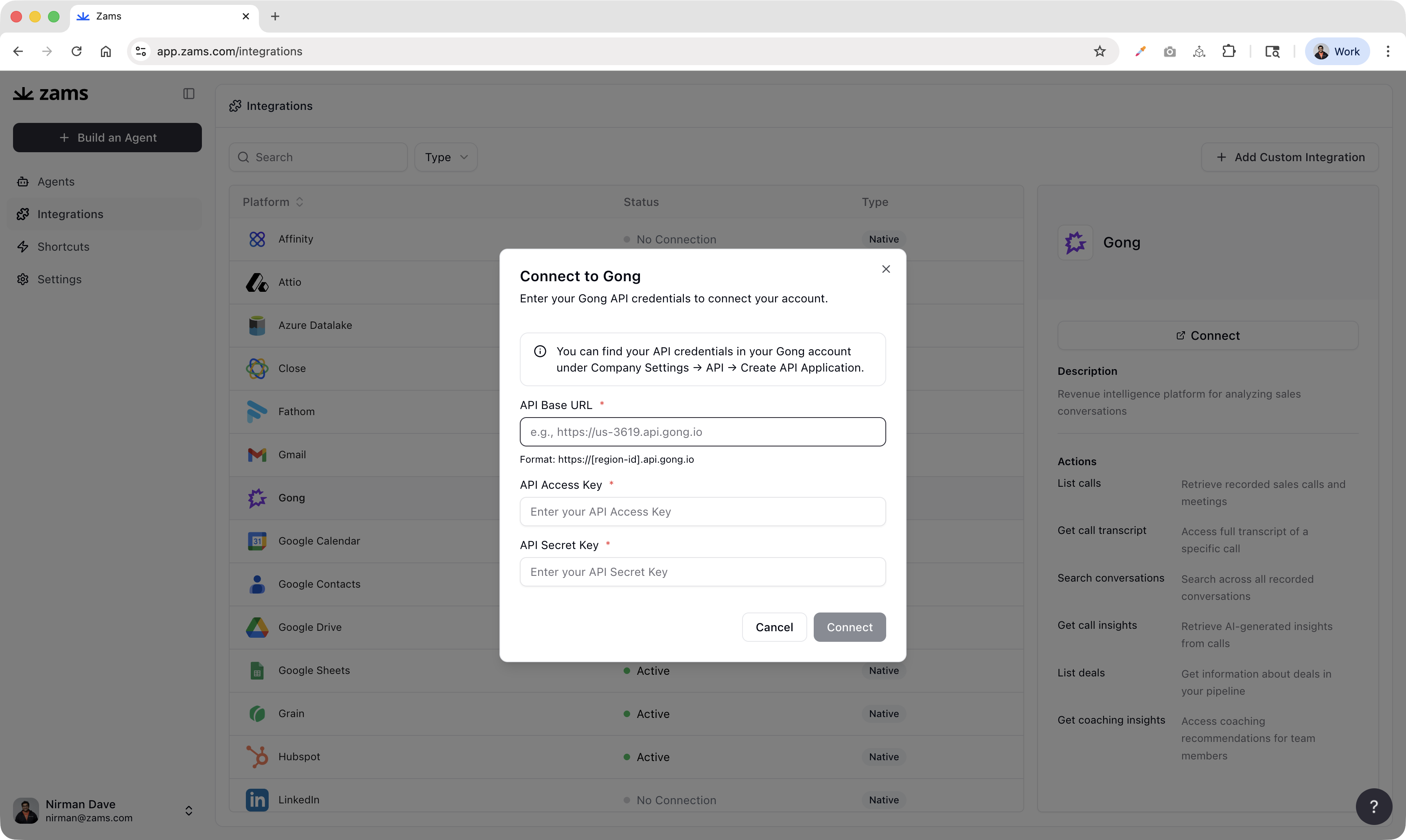
In Zams, go to Integrations → Gong → Connect.
Enter your API Base URL, Access Key, and Secret Key.
Click Connect.
✅ You’re all set! Zams will now be able to with your Gong account to automate busywork in plain English.